Ready to Upgrade Your IPTV Experience?
Access premium UK channels, sports, movies & more with ultra-fast streaming.
View Our IPTV PackagesChat with us on WhatsApp
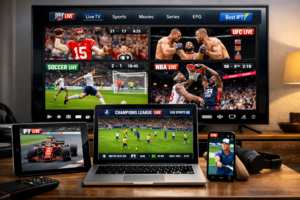
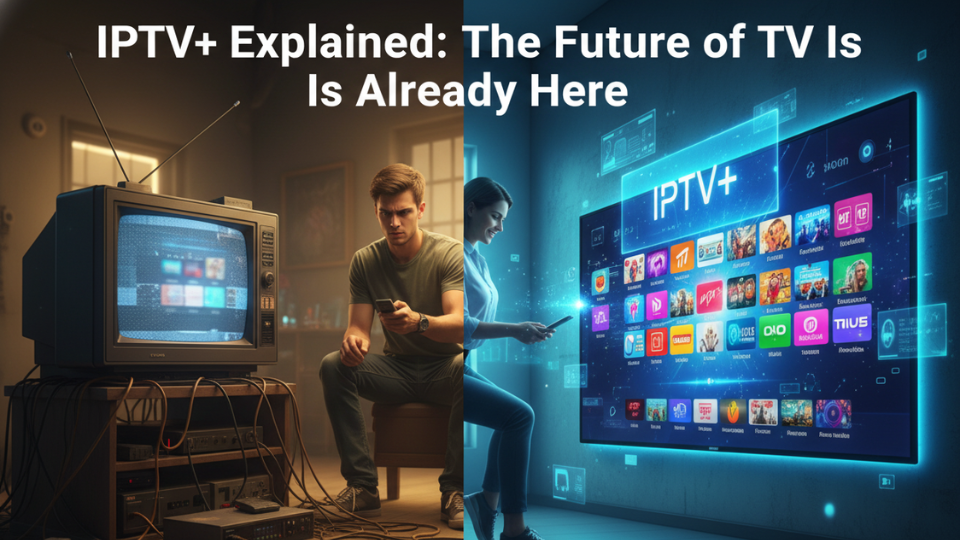
Imagine watching live TV, catching up on box sets, and accessing thousands of global channels—all through your broadband connection. That is the reality of IPTV+. Consequently, the way we watch television in the UK has fundamentally shifted. Traditional satellite dishes and cable boxes are no longer the only gateways to entertainment. According to recent research, a massive 92% of UK viewers now use a video-on-demand service. Furthermore, audiences are genuinely enthusiastic about connected TV features, as reported by TVBEurope. In simple terms, IPTV+ delivers live and on-demand TV programmes via the internet. As a result, you gain flexibility that old-school broadcasting simply cannot match.
You might be wondering, “is this just streaming like Netflix?” Not exactly. While Netflix offers on-demand content, IPTV+ also includes live television, electronic programme guides, and often a huge library of catch-up TV. It combines the best of both worlds. As fibre broadband spreads across the nation, with superfast connections set to reach 99.65% of UK homes by 2030, the technical barriers are disappearing. This was highlighted in a recent analysis by The Media Leader. This means you can enjoy buffer‑free, high‑definition content on your terms. The future of television isn’t coming—it is already here, and it runs on your internet connection.
What Exactly Is IPTV+?
IPTV+ stands for Internet Protocol Television, and the “plus” signifies the enhanced, interactive experience modern services provide. Instead of receiving broadcast signals through a rooftop aerial or a satellite dish, your TV gets the signal through your broadband line. This allows for two‑way communication. For example, you can pause live TV, record shows to the cloud, or get personalised recommendations. It is television that adapts to you, not the other way round.
How IPTV+ Uses Your Broadband
Think of your internet connection as a pipe. Traditional TV broadcasts everything at once, but IPTV+ only sends the channel you choose. This makes the system incredibly efficient. With the right broadband speed—industry experts suggest at least 30Mbps for a robust experience—you can watch 4K content without annoying buffering. Plus, because it uses internet protocols, it works seamlessly on smart TVs, tablets, phones, and especially on dedicated streaming devices.
Real Stories: How Real People Are Using IPTV+
Sometimes statistics don’t tell the full story. Here is how two UK families have changed the way they watch TV.
Sarah from Bristol cut her TV bill by £80 a month
Sarah, a mother of two from Bristol, was tired of her rising satellite subscription. “We were paying over £100 a month, and still the kids complained there was nothing to watch,” she told us. After switching to an IPTV+ service running on an Android box, her monthly bill dropped to around £20. “I was nervous about losing channels like CBeebies or ITV, but everything is still there, plus we get American shows we never had before. The best part? I can watch on my iPad while the kids use the living room TV.”
James from Leeds never misses a match now
James is a football fanatic from Leeds. His biggest frustration was missing away games that weren’t televised. “A mate at work said, ‘try IPTV+ on an Android box’. I thought it sounded dodgy, but he helped me set it up. Now I get every Premier League game, plus European matches. I even watch the cricket highlights late at night. My wife uses the catch‑up feature for her soaps. Honestly, we haven’t used the Freeview aerial in months.”
The Tech Behind IPTV+
Under the hood, IPTV+ relies on powerful servers and content delivery networks. These ensure that when you press play, the stream starts instantly. The global IPTV set‑top box market is projected to hit $22.7 billion by 2033. Consequently, it is growing at nearly 9% annually, which shows how serious this technology has become. This growth is fuelled by better compression (like H.266) that delivers 4K without eating all your bandwidth.
Why You Need a Good Android Box for IPTV+
While you can watch IPTV+ on a smart TV, a dedicated Android box often provides a smoother experience. Devices like the Amazon FireStick 4K Max or the latest NVIDIA Shield are popular because they have powerful processors that handle decoding easily. Look for boxes with at least 2GB RAM and support for Wi‑Fi 5 or 6. An IPTV+ Android setup essentially turns any telly into a smart, future‑proofed streaming hub. You simply install an app (like IPTV Smarters or TiviMate), enter your subscription details, and you are live.
Setting Up IPTV+ on Your Android Device
Setting it up is straightforward. First, ensure your Android box is connected to the internet. Then, download an IPTV player from the Google Play Store. Open the app and input the server URL, username, and password provided by your service. That is it. Many providers also offer IPTV+ Plus packages that include 24/7 support and extra connections, so you can watch on multiple devices at once. Some users even look for specific branded services like Red IPTV+, though we always recommend sticking to reputable providers with transparent terms.
Is IPTV+ Legal and Safe? What You Must Know
Legality depends entirely on the provider. Legitimate IPTV services secure the rights to broadcast channels. They are transparent, offer clear payment methods, and often provide customer support. On the other hand, some unlicensed services operate in a grey area. To protect yourself, always use a reliable VPN. This encrypts your traffic and stops your internet provider from throttling your connection. A VPN also keeps your viewing habits private. In 2026, cybersecurity experts unanimously recommend a VPN for any streaming activity, as noted by TuttoSemplice.
How to Spot a Reliable IPTV+ Service
Look for services that offer a free trial. This lets you test the quality and stability before spending money. Check if they have an active community or forum. Real user reviews on sites like Trustpilot can also help. A trustworthy provider will have clear pricing and a professional website. Remember, if a deal looks too good to be true—like lifetime access for a tenner—it probably is.
IPTV+ vs Traditional TV: The 2026 Verdict
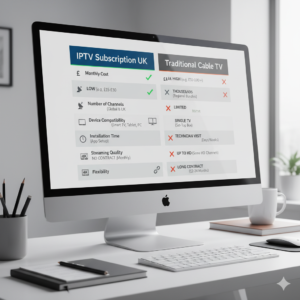
To help you see the difference clearly, here is a simple comparison.
| Feature | Traditional TV (Satellite/Cable) | IPTV+ (Broadband TV) |
|---|---|---|
| Monthly cost (typical) | £80 – £120 | £15 – £40 |
| Contract length | 12–24 months | Monthly / flexible |
| Device flexibility | Main TV only | Any screen (TV, phone, tablet) |
| Installation | Engineer visit | DIY, 10 minutes |
| Channel choice | Fixed bundles | Huge variety, global |
| 4K/HDR availability | Limited | Widespread |
Which IPTV+ Solution Fits Your Life?
Not everyone watches TV the same way. Here is tailored advice based on your household.
For Families with Children
Primary Needs: Robust parental controls, access to kids’ channels (CBeebies, Cartoon Network), and the ability to record shows for later. Look for services that offer a kid‑friendly interface and multi‑room support. A reliable Android box with a simple remote is ideal. We recommend pairing a service like Layerseven TV (known for stability) with a user‑friendly launcher.
For Tech Enthusiasts
Primary Needs: 4K HDR streams, fast channel switching, and integration with home automation. You will want a high‑end Android box like the NVIDIA Shield Pro. Services that provide EPG (electronic programme guide) and catch‑up are essential. Sonix IPTV is often praised for its massive VOD library and adaptive bitrate technology.
For Sports Fans
Primary Needs: Absolutely no buffering, multiple sports channels (Sky Sports, BT Sport, international football), and match replays. You need a rock‑solid internet connection and a service that prioritises sports. Look for providers with dedicated sports servers. WizTV is noted for its consistency, which is crucial when you are watching the final minutes of a match.
Simple Setup Guide: Get IPTV+ Running in 10 Minutes
Ready to dive in? Follow these steps:
- Pick a device: An Amazon Fire Stick, an Android TV box, or a compatible smart TV.
- Install an app: Download TiviMate or IPTV Smarters from the Play Store.
- Get a subscription: Choose a provider that fits your needs. (Check out our recommended packages for trusted options.)
- Enter details: Input the server URL, username, and password from your provider.
- Enjoy: Start browsing channels and on‑demand content.
Most people are surprised at how easy it is. Within minutes, you can have thousands of channels at your fingertips.
Frequently Asked Questions About IPTV+
What internet speed do I need for IPTV+?
Can I use IPTV+ on more than one TV?
Is IPTV+ legal in the UK?
Do I need a VPN for IPTV+ Android?
What is the difference between IPTV+ and Freeview?
Will IPTV+ replace traditional TV completely?
Ready to Cut the Cord?
We have walked through what IPTV+ is, how it works, and why it saves money while offering more choice. Sarah from Bristol and James from Leeds are just two examples of the thousands making the switch every month. The technology is mature, the equipment is affordable, and the content is better than ever. If you are tired of rising bills and rigid contracts, now is the perfect time to explore IPTV+. Start with a free trial from a trusted provider, grab a decent Android box, and see for yourself why the future of TV is already here.
What about you? Have you tried IPTV+ yet, or are you still weighing the options? Drop a comment below and share your thoughts—we would love to hear about your experiences or any questions you still have!