Ready to Upgrade Your IPTV Experience?
Access premium UK channels, sports, movies & more with ultra-fast streaming.
View Our IPTV PackagesChat with us on WhatsApp
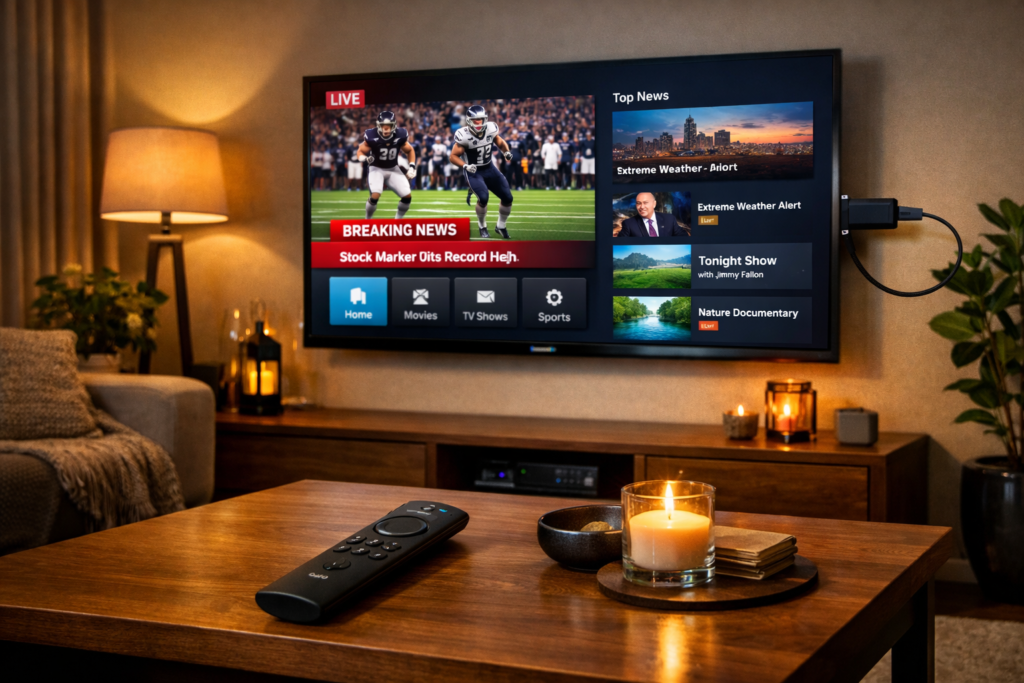
Best Firestick for IPTV in 2026: 4K Max vs 4K vs Lite — Which One Wins?
Choosing the best firestick for iptv can feel tricky. With so many models available, it is a little tricky to exactly know which one gives you the best value for your money, this guide breaks down everything you need to know, we compare in this blog the Amazon Fire TV Stick Lite, the standard Fire TV Stick, the Fire TV Stick 4K, and the powerful Fire TV Stick 4K Max, so we can help you pick the perfect device for your specific needs.
Why Your Choice of Firestick Matters for iptv and Other Services
Not all Firesticks are created equal. The model you choose directly affects your streaming quality. If you enjoy watching content from around the world, you need a device that can manage to successfully handle high-bitrate streams without any major issues. A weaker processor might struggle, leading to frustration. Your choice impacts picture quality, loading times, and overall satisfaction. As reported by MediaMarkt’s latest TV stick tests, the higher end models consistently outperform the basic ones in real world use.
Firestick Models: A Quick Overview of the Best Firestick for IPTV
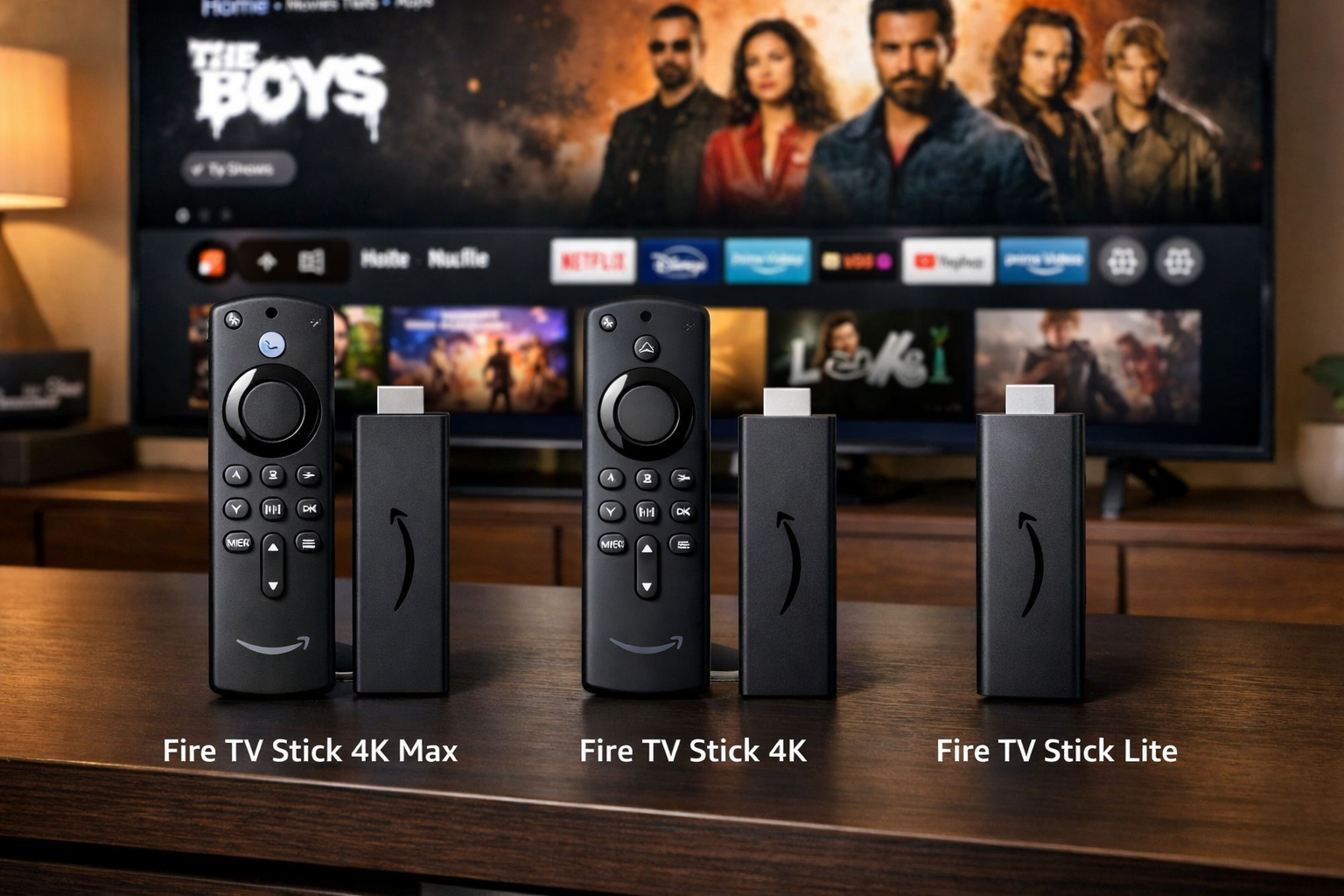
Amazon currently offers four main Fire TV Stick variants. Here is a simple introduction to each one.
Amazon Fire TV Stick Lite
This is the most affordable option. It is great for basic use. However, it only supports Full HD (1080p) resolution. Its remote also lacks TV control buttons. It is best for a small bedroom TV that isn’t 4K.
Amazon Fire TV Stick (Standard)
The standard model is a small step up. It also outputs in 1080p. But it comes with a full Alexa remote that can control your TV power and volume. It is a solid, cheap choice for HD TVs.
Amazon Fire TV Stick 4K
This is where things get serious. The 4K model streams in ultra-high definition. It supports HDR10+. It has more RAM (1.5 GB) than the Lite and standard models. This extra power helps apps run smoother.
Amazon Fire TV Stick 4K Max (2nd Gen): considered the Best Firestick for IPTV
This is the current flagship. The ‘Max’ has a faster processor and 2 GB of RAM. It supports the latest Wi-Fi standard. This means it handles heavy data loads much better. It is the premium choice for serious streamers, as highlighted in detailed breakdowns like this one from GameStar’s comparison of all Fire TV models.
Firestick vs Firestick: Specs Showdown of the best firestick for IPTV Streaming
Let’s look at the key specifications side-by-side. This table makes it easy to see which model fits your needs for iptv and other streaming services.
| Feature | Fire TV Stick Lite | Fire TV Stick | Fire TV Stick 4K | Fire TV Stick 4K Max |
|---|---|---|---|---|
| Resolution | 1080p (Full HD) | 1080p (Full HD) | 4K Ultra HD | 4K Ultra HD |
| HDR Support | HDR10, HDR10+ | HDR10, HDR10+ | Dynamic HDR, HDR10, HDR10+ | Dynamic HDR, HDR10, HDR10+ |
| RAM | 1 GB | 1 GB | 1.5 GB | 2 GB |
| Storage | 8 GB | 8 GB | 8 GB | 16 GB |
| Wi-Fi | Wi-Fi 5 | Wi-Fi 5 | Wi-Fi 6 | Wi-Fi 6E |
| Processor | Quad-core | Quad-core | Quad-core | Quad-core (faster) |
As you can see, the RAM and Wi-Fi upgrades are significant. More RAM means your apps stay open and ready. Wi-Fi 6E, in particular, is a game-changer for reducing buffering on iptv setups.
The Real-World Impact: A Tale of Two Streamers with the best firestick for IPTV
Specs are one thing, but real life is another. Let’s look at a typical story.
Mark’s 4K Max Upgrade
Mark lives in Birmingham and loves watching live sports and international movies. He originally used an older standard Fire Stick. “It was okay,” Mark told us, “but during big events like top 6 teams matches, the stream would buffer, It drove me mad.” He decided to upgrade to the Fire TV Stick 4K Max. “The difference was instant. I have fiber broadband, but the new Stick just handles things so much better with Wi-Fi 6E. Now the apps open twice as fast. It just works very well.
Beyond the Hardware: Setting Up for iptv Success
Having the best firestick for iptv is only half the mission. You also need to set it up correctly. Because IPTV apps are not on the official Amazon App Store, you need to sideload them. This is easy and safe. You just need to enable “Apps from Unknown Sources” in the developer options. Then, you use the ‘Downloader’ app to install your chosen IPTV software. A complete step-by-step guide on this process can be found at GeeksforGeeks’ comprehensive installation guide. Once installed, you just enter your service details, and you are ready to go.
Which Firestick Model can be the best firestick for IPTV for you?
We all use our Firesticks differently. Here is our tailored advice.
For Families with Children
Primary Needs: Durability, ease of use, parental controls over what kids watch.
Top 2-3 Recommendations: The Fire TV Stick 4K is a fantastic middle ground. It is fast enough for kids to navigate without lag and supports great picture quality for family movie night. The standard Fire TV Stick is also a good, budget-friendly choice, both give you access to all the major kids streaming apps.
For The ones interested in Tech
Primary Needs: The fastest performance, best picture quality, and latest features like Wi-Fi 6E and Ambient TV.
Top 2-3 Recommendations: There is only one choice here: the Fire TV Stick 4K Max. Its 2GB of RAM, faster processor, and Wi-Fi 6E make it the powerhouse. It is the perfect choice for those who want the absolute best.
Frequently Asked Questions (FAQ)
Can I install any IPTV app on a Firestick?
You can install many IPTV apps, but most require sideloading. This is because they are not official apps on the Amazon store. You can do this easily using the ‘Downloader’ app from the Amazon store.
Is 4K really necessary for IPTV?
It depends on your TV. If you have a 4K TV, a 4K Firestick is highly recommended. It will give you a much sharper and more vibrant picture. Even if you watch mostly HD content, the 4K models have faster processors, so your streams will be smoother.
How much internet speed do I need for the best firestick for iptv?
For a smooth experience, a minimum of 10-15 Mbps is recommended for HD. For 4K streaming, you should have at least 25 Mbps. A faster, more stable connection always leads to less buffering.
Do I need a VPN with my Firestick for IPTV?
Using a VPN is a good idea for privacy and security. It can also help prevent your internet service provider from throttling your connection speeds when you are streaming a lot of data.
Will the Fire TV Stick Lite work for IPTV?
Yes, it will work, but it is not ideal. Its 1 GB of RAM and older Wi-Fi can lead to slower performance and more buffering. It is best suited for casual use on a non-4K TV, not as a primary device for a heavy IPTV users.
Final Verdict: The Best Firestick for IPTV
After comparing all the models, one device stands clear among the models we cited above. For the absolute best experience, the Fire TV Stick 4K Max (2nd Gen) is the definitive best firestick for iptv. Its superior processing power, 2GB of RAM, and Wi-Fi 6E make it future proof. It handles 4K streams effortlessly and ensures your IPTV apps run without a hitch.
However, if your budget is tighter and you don’t have a 4K TV, the standard Fire TV Stick is a perfectly capable device for HD streaming. The 4K model is a brilliant middle option for those with 4K TVs who want great performance without the top-tier price. No matter your choice, pairing your device with a solid internet connection and a good service will transform almost instantly your experience, and for the absolute best service in the IPTV area, check out our packages at our home page.
We hope this guide helps you make the right choice for your home. Which Firestick model are you leaning towards, and what kind of content are you most excited to watch? Let us know in the comments below!